© 2026 Zero To Dangerous
  • Terms of Use
  • Privacy Policy
Zero To Dangerous logo

Main menu

Includes navigation links and user settings

Zero To Dangerous logo
  • Browse products
  • Log in

Browse products

Browse products

Product filters:
search
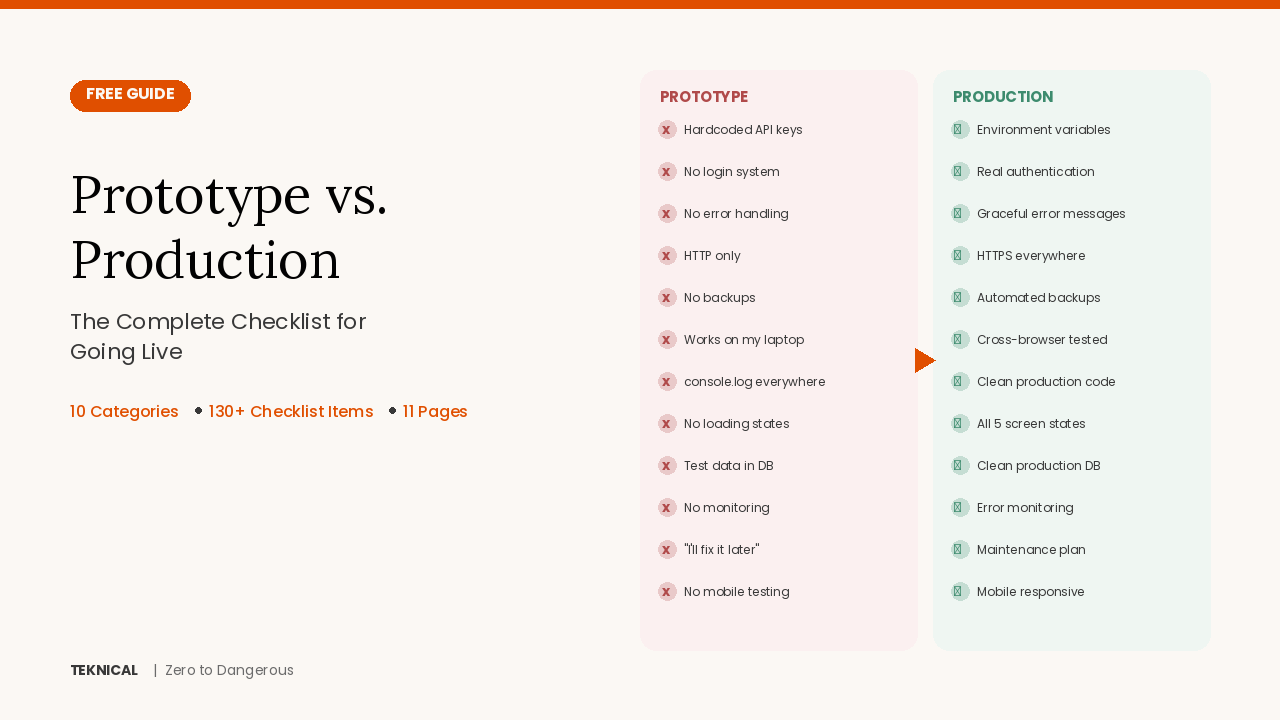
Product image for Prototype to Production Checklist — The Complete Guide to Going Live

Prototype to Production Checklist — The Complete Guide to Going Live

Your AI tool can build a working prototype in minutes — but a prototype is not a product. This free 11-page guide covers the 10 categories of work that separate "it works on my screen" from "it's ready for real users" — including authentication, security, database setup, error handling, hosting, version control, testing, performance, maintenance, and legal basics.

Digital file•1 file•By Katia Gilligan

Learn more
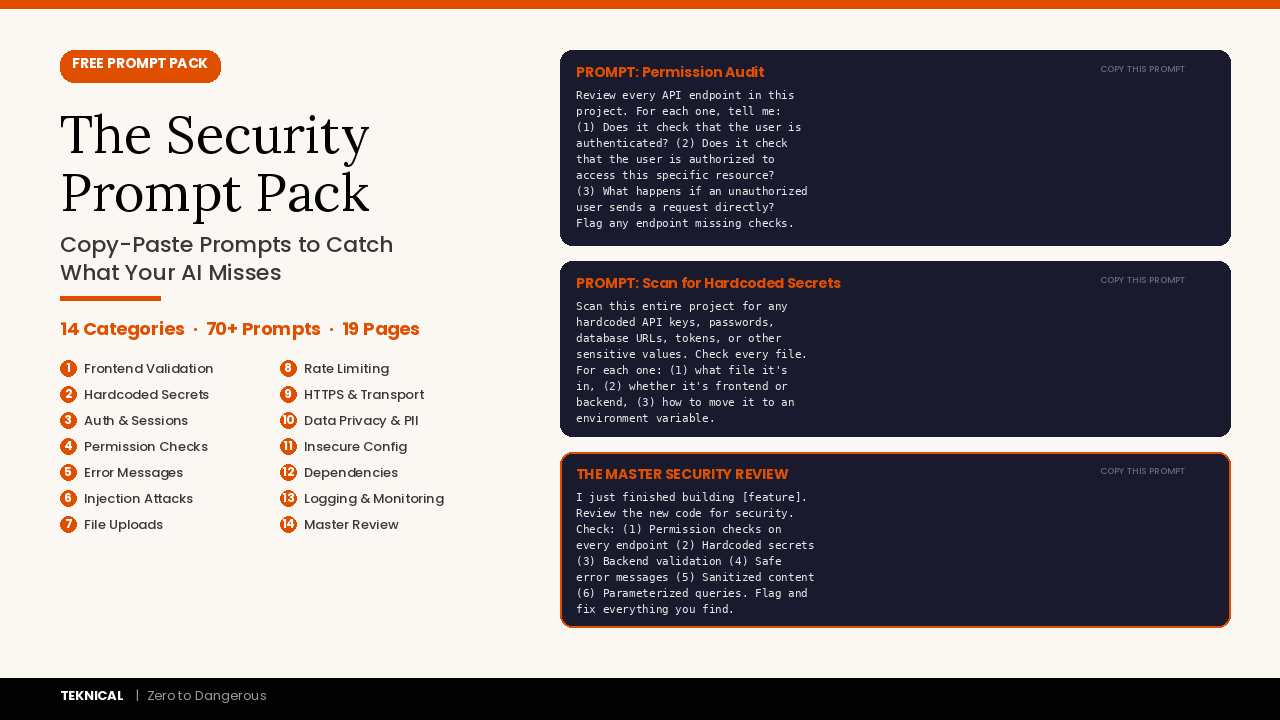
Product image for The Security Prompt Pack: Copy-Paste Prompts to Catch What Your AI Misses (70+ Prompts)

The Security Prompt Pack: Copy-Paste Prompts to Catch What Your AI Misses (70+ Prompts)

AI coding tools build your features but skip the security. This free 19-page prompt pack covers 14 categories of security vulnerabilities that AI tools leave in your code from missing backend validation to hardcoded API keys to broken permission checks. 70+ prompts. And if you want to go deeper than security, understanding how software actually works, how to add good UX, and deployment check out my FULL COURSE: https://katia-gilligan-s-school.teachable.com/l/pdp/vibe-coding-fundamentals

Digital file•1 file•By Katia Gilligan

Learn more
Product image for Zero to Dangerous: Vibe Coding Fundamentals

Zero to Dangerous: Vibe Coding Fundamentals

AI tools like Cursor, Claude Code, and Lovable have made it possible for anyone to build web applications — but most people are doing it blindly. They accept whatever the AI generates and end up with projects they can't explain, debug, or extend. This course gives you the foundational knowledge to vibe code with understanding. You'll learn the landscape of AI building tools and how to choose the right one, the programming languages and tech stacks that power modern web apps, core concepts like databases, APIs, and authentication, and how to use AI to plan your application before building it. Built for non-technical builders — founders, creators, designers — who want to build with AI tools without being entirely dependent on them. No coding experience required. Not for experienced developers looking to add AI to an existing workflow. This is Course 1 in a multi-part series. Future courses cover building, security, and deployment.

Course•By Katia Gilligan
Learn more
3 products found